
Native Mac photo browser
Browse a shoot and keep only the photos you actually want.
A native Mac photo browser built for speed. Open any folder to cull your shoot, inspect EXIF data, and collect the photos you really want without touching the originals.

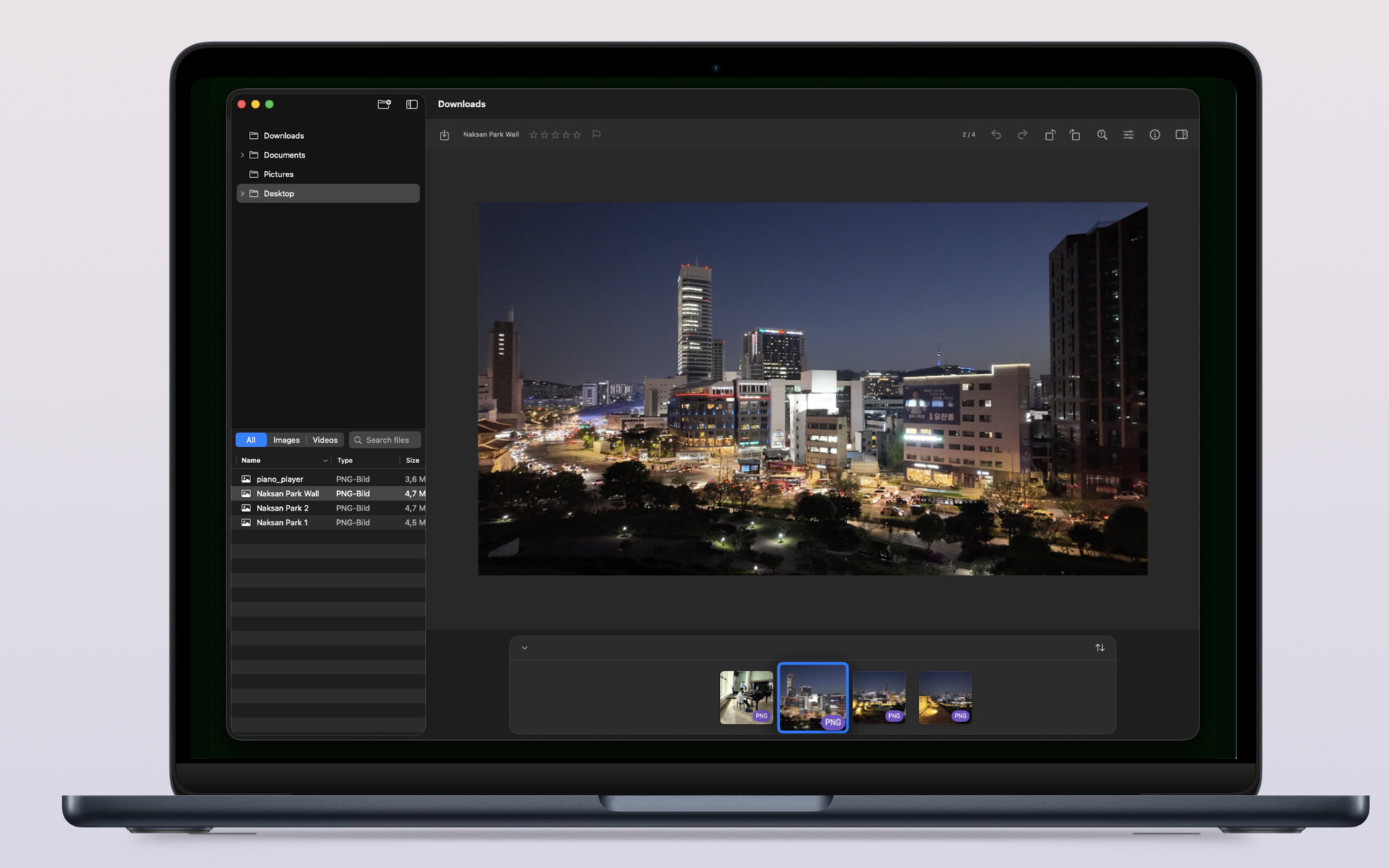

A focused path from folder to collection
Imagario is built for the moment after the shoot — when you want to move quickly through the frames, look closely and make confident choices.
- 1 Open any folder and keep its full structure within reach in the sidebar tree.
- 2 Move through photos with the thumbnail strip and arrow-key navigation.
- 3 Zoom and pan with native Mac gestures to inspect every detail.
- 4 Drag keepers into the collection or save the current photo with one click.
Built for the way Mac users work
Imagario brings together folder browsing, deep metadata inspection and non-destructive curation in one focused Mac app.
- Lazy folder tree The sidebar loads large libraries on demand — open only the branches you need.
- Native Mac gestures Pinch to zoom, two-finger pan, Command-scroll and arrow-key navigation feel exactly like the Mac you know.
- Thumbnail strip A windowed filmstrip lets you move quickly through a folder without losing your place.
- Full metadata inspector File, image, capture, camera, lens, exposure, authoring, location and advanced fields — all in one panel.
- Reorderable sections Drag metadata sections into the order that fits your review style. The layout persists between launches.
- GPS and Maps See GPS coordinates, open the location in Maps, or view an inline map preview for geotagged shots.
- Collection drop zone Drag thumbnails in or save the current photo with one click — then preview the collection in the main pane.
- Non-destructive curation Delete collection copies to the Trash without touching the source folder.
Build a collection without risking the source
Imagario separates discovery from curation. Your original folders stay intact while your selected images come together in one clear collection.
- Save the current photo with one click.
- Drag thumbnails into the collection drop zone as they catch your eye.
- Preview collection photos back in the main pane.
- Delete collection copies to the Trash without touching the source folder.
Who Imagario is for
- Photographers Review a shoot locally and gather selects before deeper editing.
- Travelers Revisit location memories with inline GPS map previews built in.
- Archivists Inspect full metadata while organizing personal libraries.
- Anyone with photo folders Bring order to a camera roll export, travel archive or scanned collection.
Screenshots
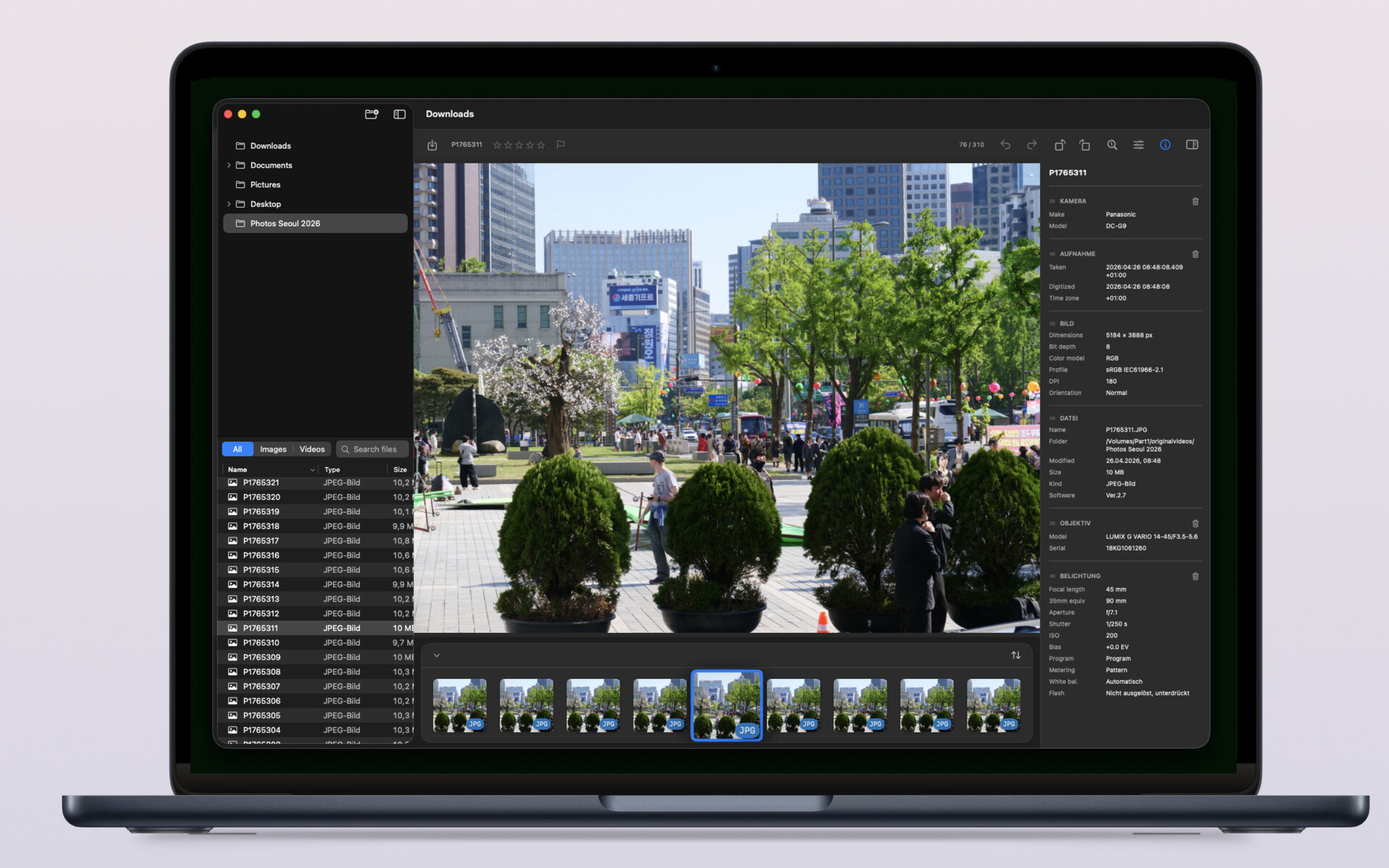
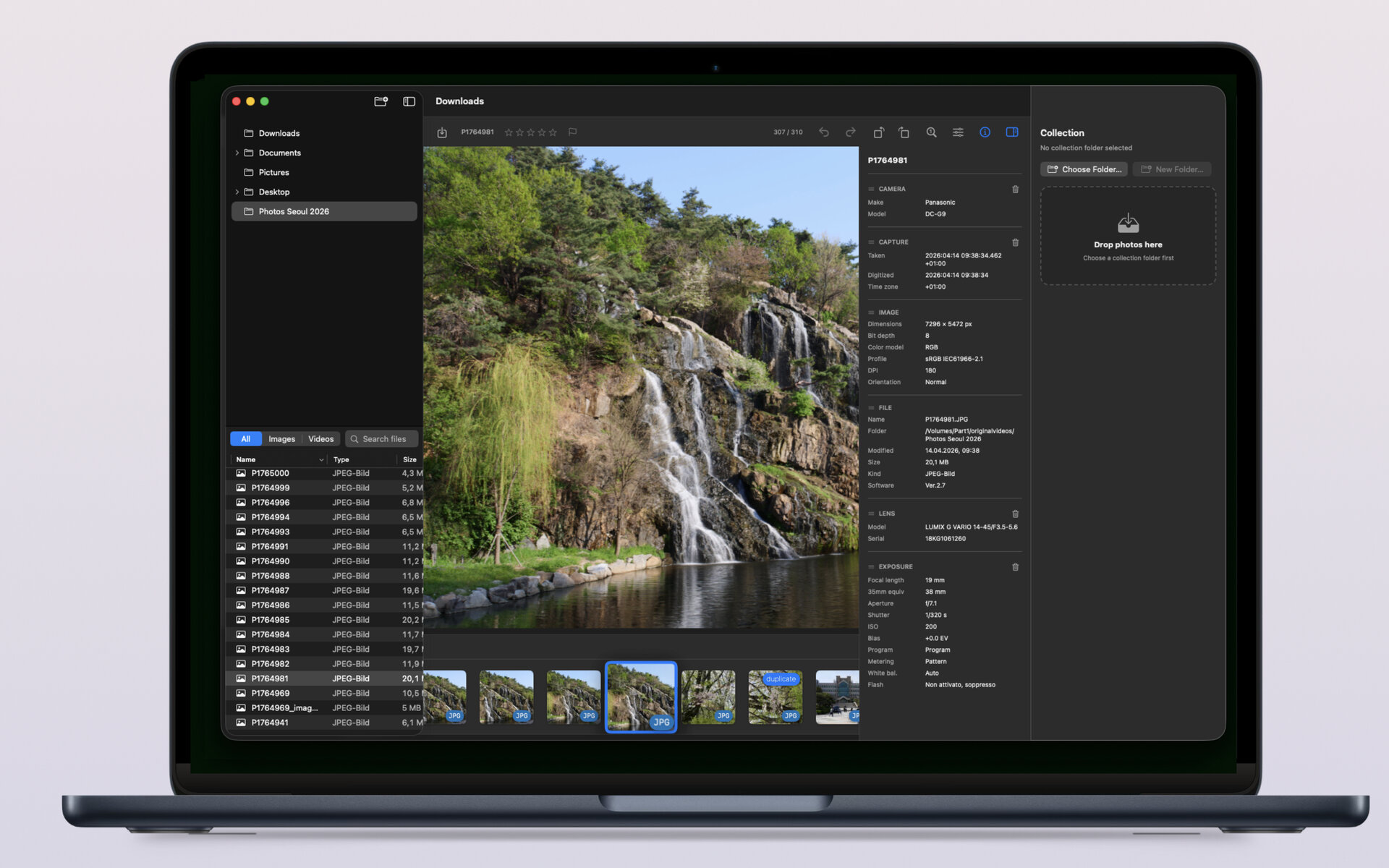
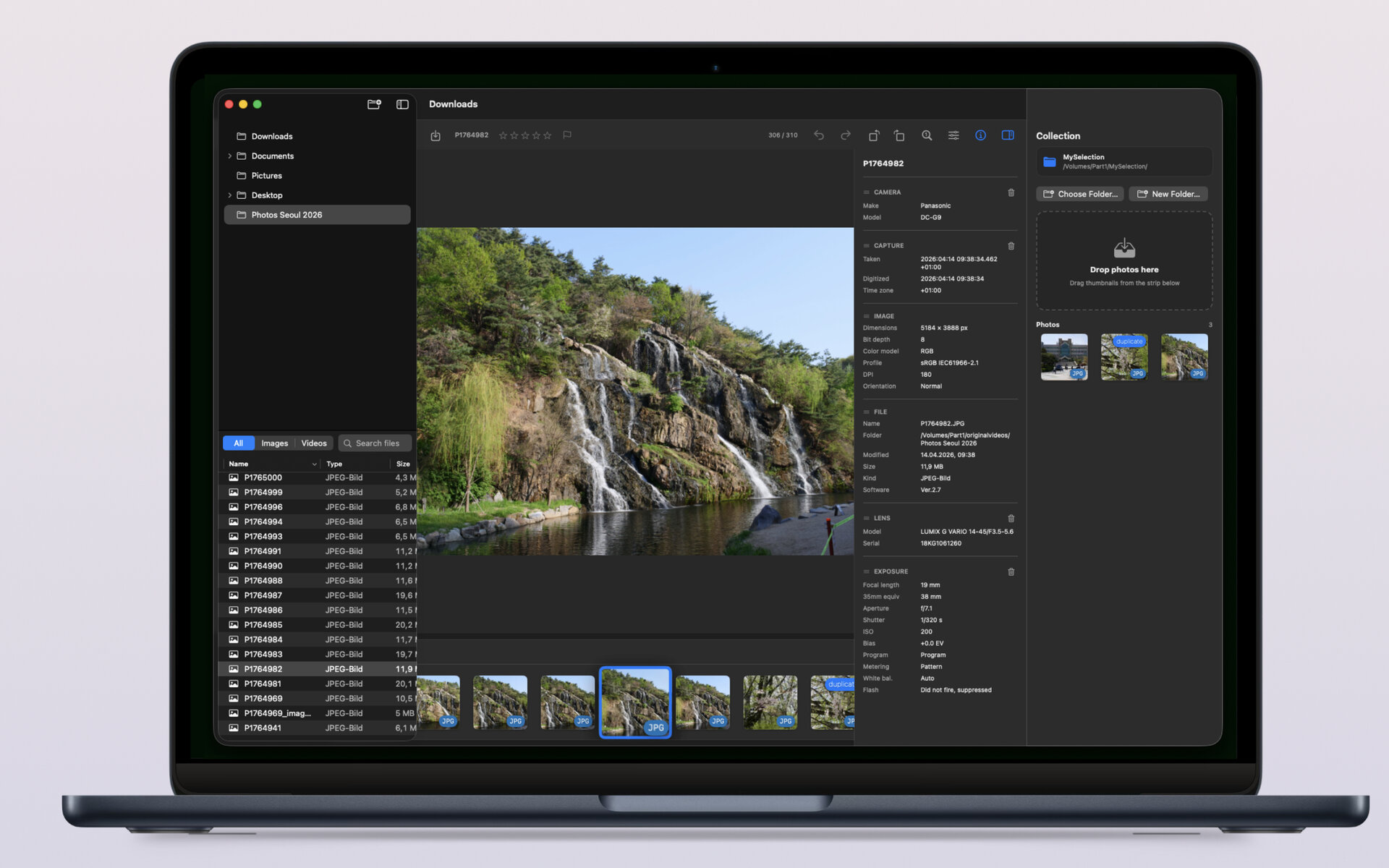
Private by default
- Sandboxed — you choose which folders to open
- Security-scoped bookmarks remember your source and collection folders
- No accounts, no telemetry, no cloud
- No AI training
Changelog
Release notes for Imagario on macOS.
-
v1.0 macOS
- Initial release.
Questions or feedback?
If you want to request features, report issues or tell us what would make Imagario more useful for your workflow, send a message anytime.
- Email support development@thelittlebakery.org
- Typical response time within 2 business days